• Homeschool Curriculum
  • ALIGNED CURRICULUM
  • QUIZZES & MCQs
  • Live Classes
  • EDUTECH BLOGS
    • Add Your Article
    • Become a Publisher
  • 12:00 GMT
  • LIVE Class Status
  • Tutors Portal
  • Free Resources
Membership   Login Membership not activated
Regent Studies
  • Homeschool Curriculum
  • ALIGNED CURRICULUM
  • QUIZZES & MCQs
  • Live Classes
  • EDUTECH BLOGS
    • Add Your Article
    • Become a Publisher

Technology

  • Home
  • Blog
  • Technology
  • How Android 15 and Find My Device Revolutionize Security for the Google Pixel 9

How Android 15 and Find My Device Revolutionize Security for the Google Pixel 9
  • Posted by Arthur (USA)
  • Categories Technology
  • Date August 22, 2024
PIxel 9 security
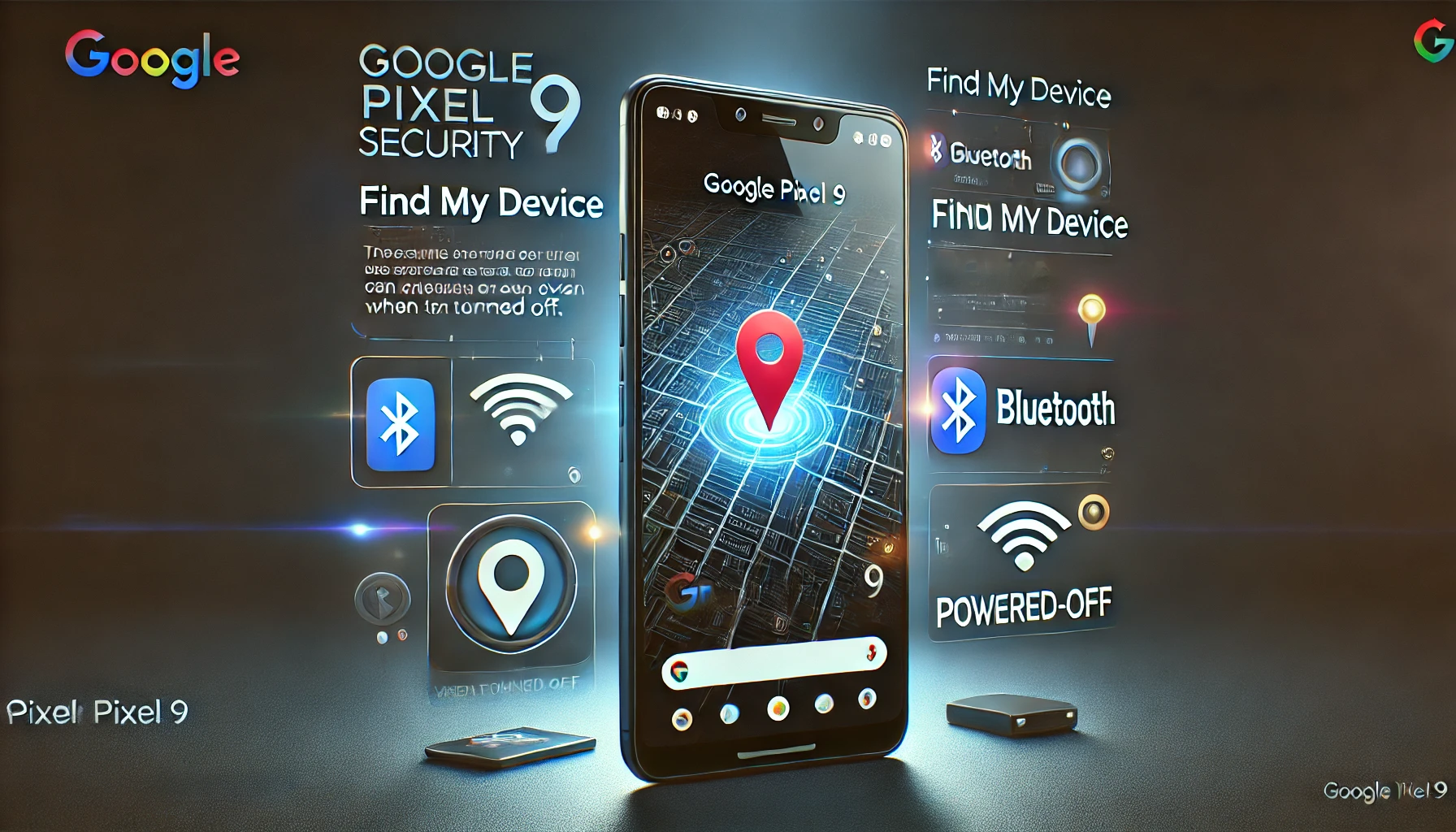
As technology continues to evolve, the need for enhanced security features in smartphones has never been greater. With the release of Android 15, Google has introduced a groundbreaking feature that allows you to locate your Google Pixel 9 even when it’s powered off. This innovation, integrated with the Find My Device network, is set to revolutionize how we think about smartphone security. In this blog, we will explore how Android 15 and the Find My Device feature work together to offer unmatched security for your Google Pixel 9. We’ll also dive into other advanced features of the Pixel 9, how Bluetooth tracking enhances security, and why the Pixel 9 Pro might be the ultimate choice for those who prioritize device protection.

Google Pixel 9 Features: A New Era in Smartphone Security

The Google Pixel 9 is packed with cutting-edge features that make it one of the most secure smartphones on the market. Whether you’re concerned about losing your phone or having it stolen, the Pixel 9 has you covered with its advanced tracking and security options.

Pixel 9 Location Tracking: Always Know Where Your Device Is

  • Powered-Off Tracking: One of the most impressive features of the Pixel 9 is its ability to be tracked even when it’s powered off. This is made possible by the new Android 15 update, which utilizes precomputed Bluetooth beacons stored in the memory of the device’s Bluetooth controller. When the phone is turned off, these beacons can still broadcast signals to nearby devices, allowing the Find My Device network to locate it​ (Droid Life).
  • Bluetooth Tracking: In addition to powered-off tracking, the Pixel 9’s Bluetooth tracking capabilities are enhanced with the integration of Android 15. The phone continuously sends out Bluetooth signals that can be picked up by other Android devices within the Find My Device network, making it easier to locate your device in real time.

The Google Pixel 9’s location tracking features set a new standard for smartphone security. With the ability to locate your device even when it’s powered off, you can rest assured that your phone is always within reach, no matter the circumstances.

How Find My Device Enhances Pixel 9 Security

The Find My Device feature is not new, but its integration with the Google Pixel 9 and Android 15 takes it to a whole new level. This powerful tool is designed to help you locate, lock, and erase your device remotely, ensuring that your personal information stays secure even if your phone is lost or stolen.

Pixel 9 Find My Device: Comprehensive Protection

  • Locate Powered Off Pixel: As mentioned earlier, the ability to locate your Pixel 9 when it’s powered off is a game-changer. This feature is particularly useful in scenarios where your phone is lost or stolen and turned off to prevent tracking. With Find My Device, you can still pinpoint its location using the network of nearby Android devices​ (Droid Life).
  • Remote Lock and Erase: If your Pixel 9 is lost or stolen, the Find My Device feature allows you to lock the phone remotely, display a message on the screen, and even erase all data to prevent unauthorized access. This ensures that your personal information remains protected, even if the device falls into the wrong hands.

By integrating these advanced features into the Find My Device network, Google has created a robust security system that offers peace of mind to Pixel 9 users. Whether your phone is misplaced, lost, or stolen, you have the tools needed to protect your data and recover your device.

Why the Google Pixel 9 Pro is the Ultimate Choice for Security

While the standard Google Pixel 9 is already equipped with powerful security features, the Pixel 9 Pro takes it a step further. Designed for users who demand the best in smartphone security, the Pixel 9 Pro offers additional features that make it the ultimate choice for those who prioritize device protection.

Google Pixel 9 Pro: Advanced Features for Enhanced Security

  • Enhanced Bluetooth Tracking: The Pixel 9 Pro comes with enhanced Bluetooth tracking capabilities, allowing for even more precise location tracking. This feature is particularly useful for those who frequently travel or work in environments where the risk of losing a device is higher.
  • Larger Battery for Continuous Tracking: The Pixel 9 Pro is equipped with a larger battery, ensuring that its tracking features can operate for longer periods, even when the phone is turned off. This extended battery life is crucial for maintaining continuous tracking and security over extended periods.
  • Exclusive Pro Features: In addition to its enhanced tracking capabilities, the Pixel 9 Pro offers exclusive features such as adaptive touch, advanced AI integration, and more, making it the most secure and versatile smartphone in Google’s lineup.

For users who demand the highest level of security, the Google Pixel 9 Pro is the clear choice. Its advanced features, combined with the powerful Find My Device network, ensure that your device is always protected, no matter where you are.

The Role of Android 15 in Revolutionizing Smartphone Security

Android 15 has introduced a range of new features that significantly enhance the security of Google Pixel devices. One of the most notable is the integration of powered-off tracking into the Find My Device network, but that’s just the tip of the iceberg.

Android 15 Find My Device: A New Standard in Security

  • Powered-Off Tracking Integration: As previously discussed, Android 15’s ability to locate powered-off devices is a revolutionary step in smartphone security. This feature leverages Bluetooth technology and the vast network of Android devices to ensure that your Pixel 9 can be located even in the most challenging circumstances​ (Droid Life).
  • Improved Data Encryption: Android 15 also brings improved data encryption, making it even harder for unauthorized users to access your personal information. This is particularly important in the event that your device is lost or stolen, as it adds an additional layer of protection.
  • Seamless Updates: Android 15 ensures that your device remains up to date with the latest security patches and features. These seamless updates are designed to protect your device from the latest threats, ensuring that your Pixel 9 or Pixel 9 Pro is always secure.

The introduction of Android 15 has set a new standard for smartphone security, particularly for Google Pixel users. By integrating advanced tracking capabilities with improved encryption and seamless updates, Android 15 ensures that your device is always protected.

Exploring the Future of Smartphone Security

As technology continues to advance, the future of smartphone security looks promising. With the introduction of features like powered-off tracking and enhanced Bluetooth tracking, it’s clear that smartphone manufacturers are committed to protecting user data and devices. But what does the future hold for smartphone security, and how will it continue to evolve?

Emerging Trends in Smartphone Security

  • Biometric Advancements: In the coming years, we can expect to see further advancements in biometric security, including more sophisticated facial recognition and fingerprint scanning technologies. These features will offer even greater protection against unauthorized access.
  • AI-Driven Security: Artificial intelligence will play a significant role in the future of smartphone security. AI-driven algorithms will be used to detect and prevent potential threats in real time, offering proactive protection for users.
  • Integration with IoT Devices: As the Internet of Things (IoT) continues to expand, we can expect to see greater integration between smartphones and other connected devices. This will create new opportunities for enhanced security features, such as the ability to track and secure multiple devices from a single interface.

The future of smartphone security is bright, with new technologies and features continually being developed to protect users and their data. As these advancements continue, Google’s commitment to security, as demonstrated by the Pixel 9 and Android 15, will likely serve as a benchmark for the industry.

 How Android 15 and Find My Device Protect Your Google Pixel 9

In conclusion, the combination of Android 15 and the Find My Device network has revolutionized smartphone security for the Google Pixel 9. With features like powered-off tracking, enhanced Bluetooth tracking, and advanced data encryption, your device is more secure than ever before. Whether you choose the standard Pixel 9 or the more advanced Pixel 9 Pro, you can rest assured that your phone is protected against loss, theft, and unauthorized access.

For those who value security and peace of mind, the Google Pixel 9 and Pixel 9 Pro are the ultimate choices. With the powerful tools provided by Android 15 and Find My Device, you’ll always know that your device is secure and that your personal information is protected.

To learn more about the latest developments in technology and education, visit the Regent Studies website. Regent Studies offers a wide range of resources to help you stay informed and protected in the digital age.

  • Share:
author avatar
Arthur (USA)

Previous post

Odyssey 3D is the Best 4K Gaming Monitor of 2024
August 22, 2024

Next post

JBL Tour PRO 3 Worth the Hype? A Comprehensive Review and Price Breakdown
August 22, 2024

You may also like

chatbot
Chatbot Showdown: How ChatGPT, DeepSeek, and Gemini Are Shaping the Future of AI
21 February, 2025
Tesla's AI
How Tesla’s AI Powers the Future of Autonomous Driving: A Dive into Full Self-Driving and Neural Networks
11 November, 2024
wallpaper tv
Wallpaper TVs: Exploring the Latest Innovations by LG and Samsung.
7 November, 2024

EduTech Blogs

  • All
  • Automotive
  • BUSINESS NEWS
  • Biography
  • Computing in Education
  • Crypto News
  • Colleges
  • CONFERENCES
  • Curriculum Guides
  • EDUCATION NEWS
  • ENTERTAINMENT NEWS
  • Extracurricular Activities
  • Education Policies
  • E-Learning Resources
  • Fashion
  • GAME NEWS
  • General
  • Homeschooling
  • HEALTH NEWS
  • History
  • Immigration Advisors
  • INTERNSHIPS
  • Jobs Around The World
  • Online Schooling
  • Online Schools
  • Parental Tips & Tools
  • Study Abroad
  • Scholarships
  • SPORTS NEWS
  • SCIENCE NEWS
  • SUMMER SCHOOLS
  • Student Showcases
  • Student Projects Proposals
  • Traditional Schooling
  • Travelling
  • TECHNOLOGY NEWS
  • Tech Gadget Reviews
  • Tech Integration Strategies
  • Universities
  • Virtual Classroom Insights
2025 propsed plan

USEFUL LINKS

  1. Admission form
  2. How to attend an online class?
  3. Become a reseller partner
  4. Become an instructor
  5. Contact us
  6. Refund policy
  7. FAQs
  8. TOS
  9. Advertising Request Form
Payment Methods
  • /regentstudies
  • info@regentstudies.com

Copyright © 2023 | Regent Studies

Our Visitor

183655
wp-visitor-counter Total views : 273119
  |  
Terms & Conditions

Login with your site account

Lost your password?


Regent popup

Our Spring Sale Has Started

You can see how this popup was set up in our step-by-step guide: https://wppopupmaker.com/guides/auto-opening-announcement-popups/

Our Spring Sale Has Started

You can see how this popup was set up in our step-by-step guide: https://wppopupmaker.com/guides/auto-opening-announcement-popups/

Our Spring Sale Has Started

You can see how this popup was set up in our step-by-step guide: https://wppopupmaker.com/guides/auto-opening-announcement-popups/

Our Spring Sale Has Started

You can see how this popup was set up in our step-by-step guide: https://wppopupmaker.com/guides/auto-opening-announcement-popups/

Our Spring Sale Has Started

You can see how this popup was set up in our step-by-step guide: https://wppopupmaker.com/guides/auto-opening-announcement-popups/

Our Spring Sale Has Started

You can see how this popup was set up in our step-by-step guide: https://wppopupmaker.com/guides/auto-opening-announcement-popups/

Our Spring Sale Has Started

You can see how this popup was set up in our step-by-step guide: https://wppopupmaker.com/guides/auto-opening-announcement-popups/

Get Your Password

Lost your password? Please enter your username or email address. You will receive a link to create a new password via email.


  • New password does not match!

Login with your account

Lost your password?

Our Spring Sale Has Started

You can see how this popup was set up in our step-by-step guide: https://wppopupmaker.com/guides/auto-opening-announcement-popups/